

Sell a loyalty membership as a post-purchase upsell
Why a membership is a good post-purchase offer
Most post-purchase offers sell one more product. A membership brings customers back for multiple orders. Its benefits encourage repeat purchases, turning one-time buyers into loyal customers.
And there's no better time to offer it. The customer has already purchased, payment details are captured, and you have nothing to lose if they decline.
 Try BA Post Purchase free
Create a single-product offer for the membership
In BA Post Purchase, create an offer and select your membership product. Use a single-product offer, as subscriptions aren't supported on multi-product cards.
Turn on subscriptions and select the plan
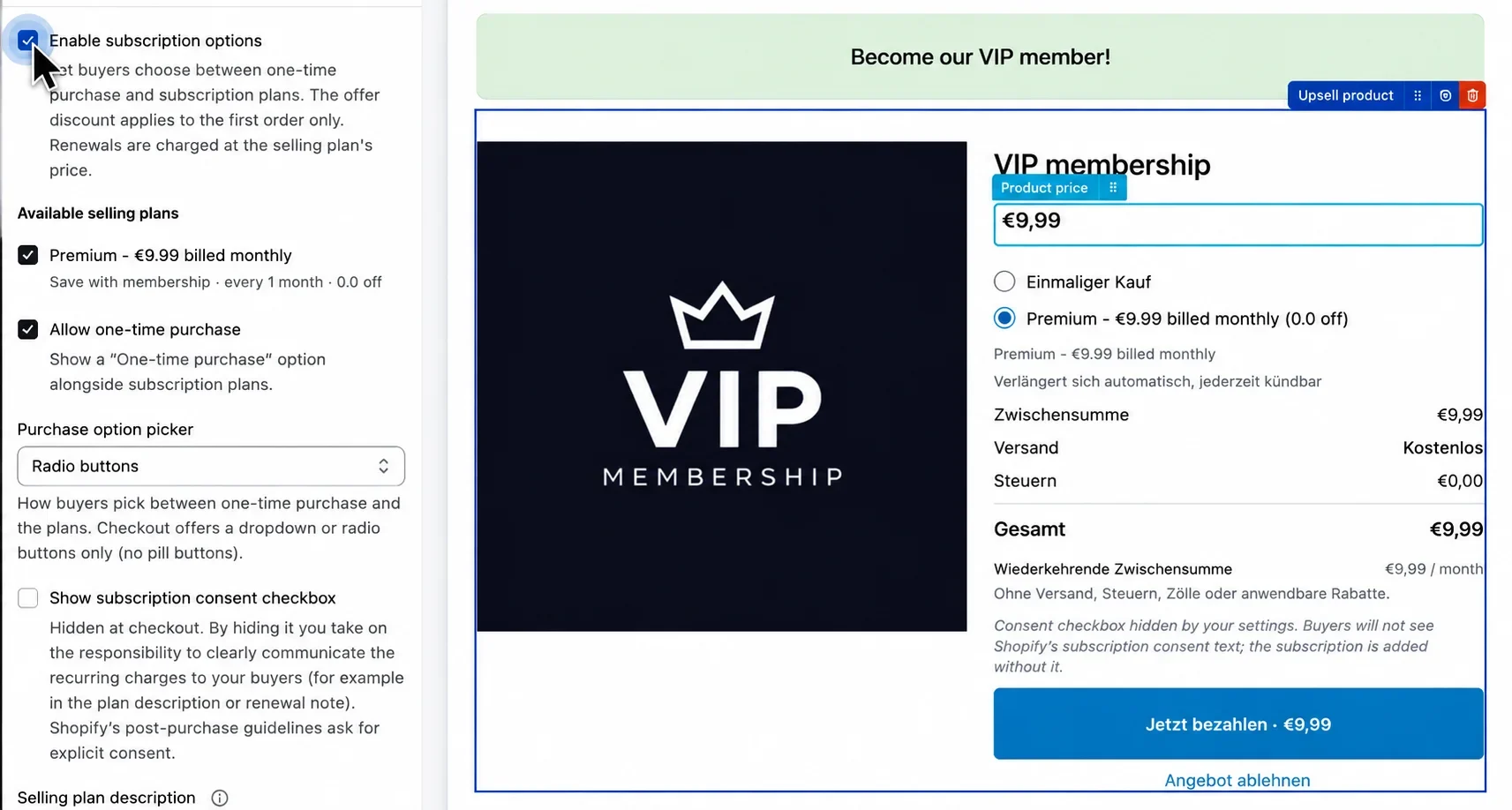
Enable Subscription options and select the membership's selling plan. When accepted, Shopify creates a recurring subscription instead of a one-time purchase.
You can also allow one-time purchases and choose how buyers select between options.
Important: The selling plan must belong to the selected product. Otherwise, the subscription option disappears and the offer becomes a one-time purchase without warning.
Set who sees it and what it costs
Target customers most likely to benefit from a membership, especially first-time buyers. Any offer discount applies to the first subscription charge.
Important: If your selling plan has its own discount, test how both discounts combine before launching.
Focus on the benefit, then test it
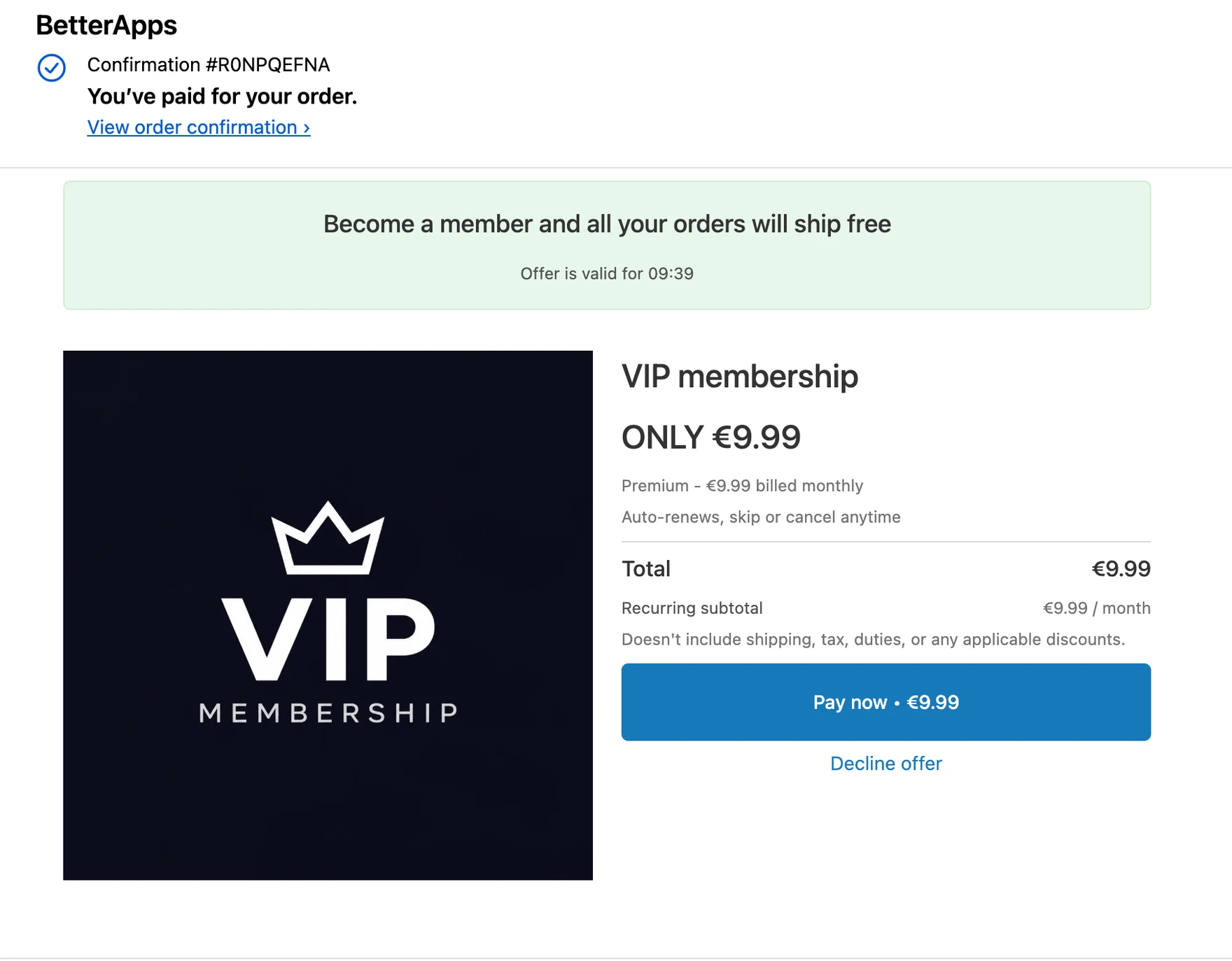
Lead with the strongest membership benefit: free shipping, exclusive discounts, or early access. Clearly state the price, billing frequency, and cancellation terms.
Place a test order and verify that Shopify creates a subscription contract and Love Loyalty activates the membership.
Quick troubleshooting
Common issues and how to fix them. For issues within Love Loyalty, contact their support. For BA Post Purchase setup, we're here to help.
The selected selling plan doesn't belong to the product. Select a plan attached to your membership product to enable subscriptions.
Make sure you're using a single-product offer. Subscriptions aren't supported on multi-product cards.
Check that the customer account matches, the correct product is registered under Paid Memberships, and the subscription is active. If everything looks correct, contact Love Loyalty support.
Offer availability depends on checkout and payment methods. Check your targeting and offer priority. PayPal orders support only one post-purchase changeset, so competing offers may prevent the membership from appearing.
Ready to build the offer? You need both apps on the store.
